Tabletop Notes
Prep, Run, Repeat
Your campaign, kept: every person, place and thread, as it stood on any night you played.
A campaign keeper for game masters, for any game system. Plan sessions as scene cards, run them at the table, and look back at your world as of any session.
Free to use. No account needed on iPhone and iPad; the web app needs a free account.
Most campaign tools make you build the tool first. Notion hands you a blank page and a weekend of templates; D&D apps want a stat block for every innkeeper. Tabletop Notes keeps the story: who people are, what they want, and how that has changed.
What it keeps
Built around the way a campaign actually moves
Sessions as scene cards
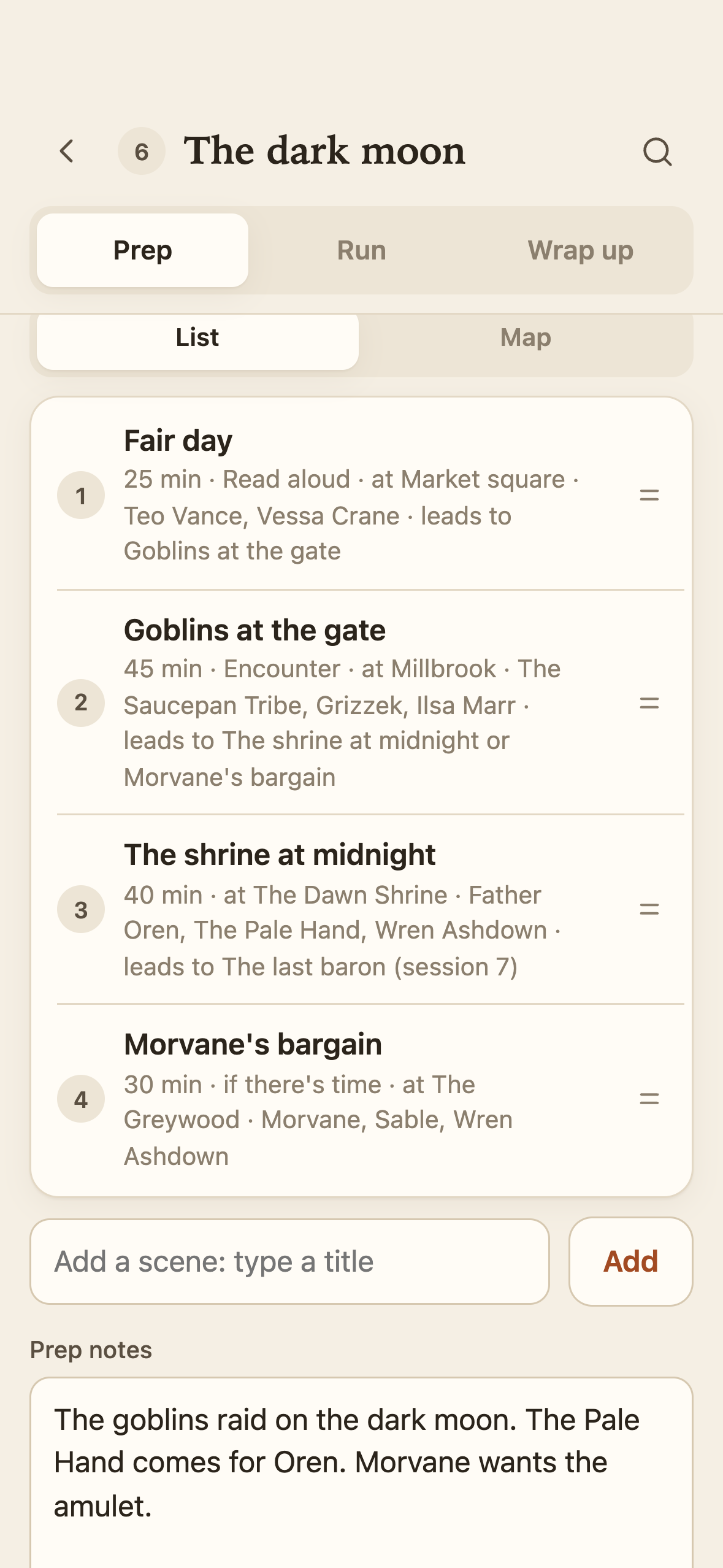
Plan each session as a run of scene cards: the beats, who is involved, how many minutes you expect it to take, and overflow scenes for when the players go somewhere else.
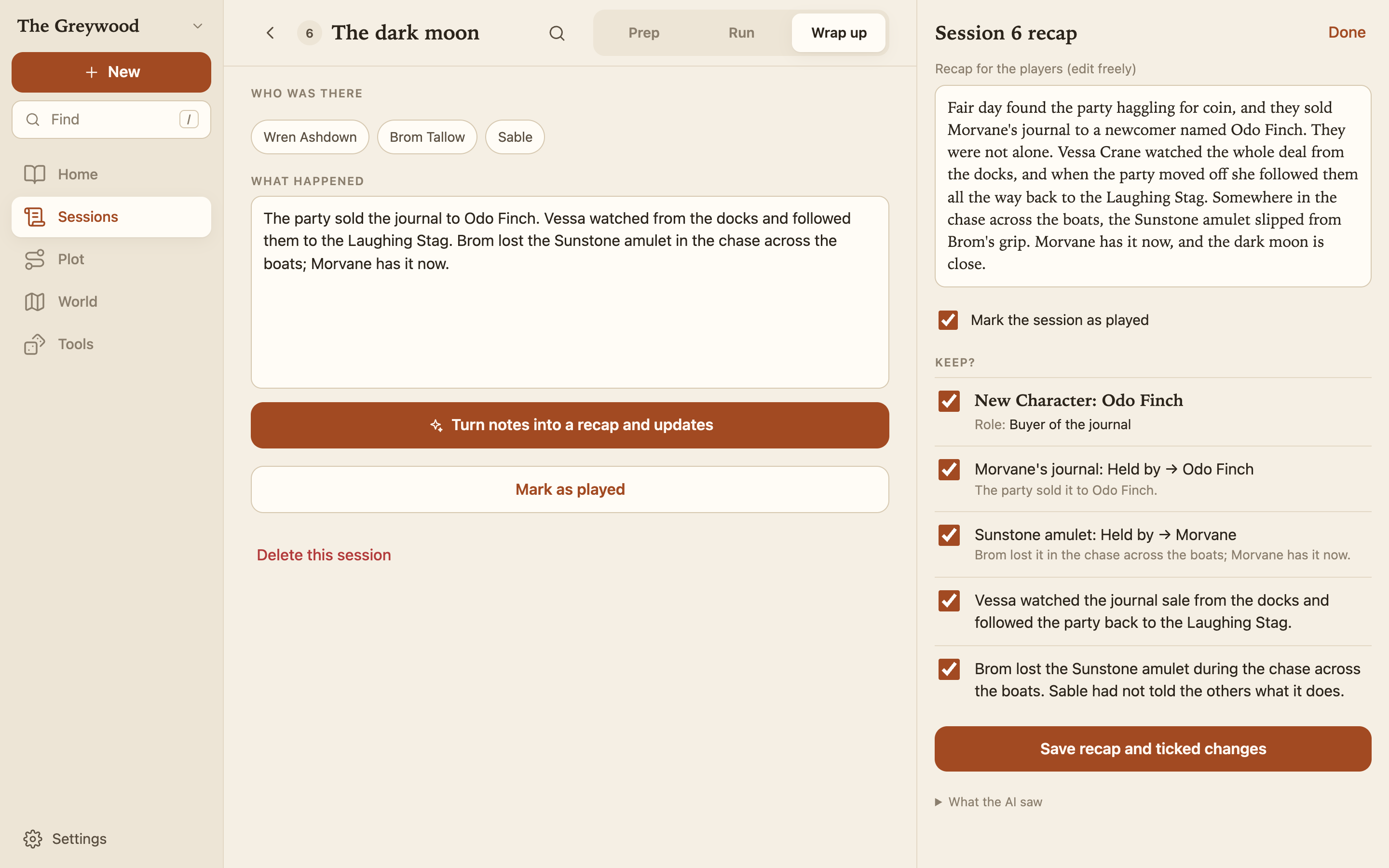
At the table, Run keeps the scene in play in front of you: who is in it, what you have jotted, and where it leads. Afterwards, Wrap up turns your notes into what happened. Your prep and your history live in the same place.
Your world, mapped
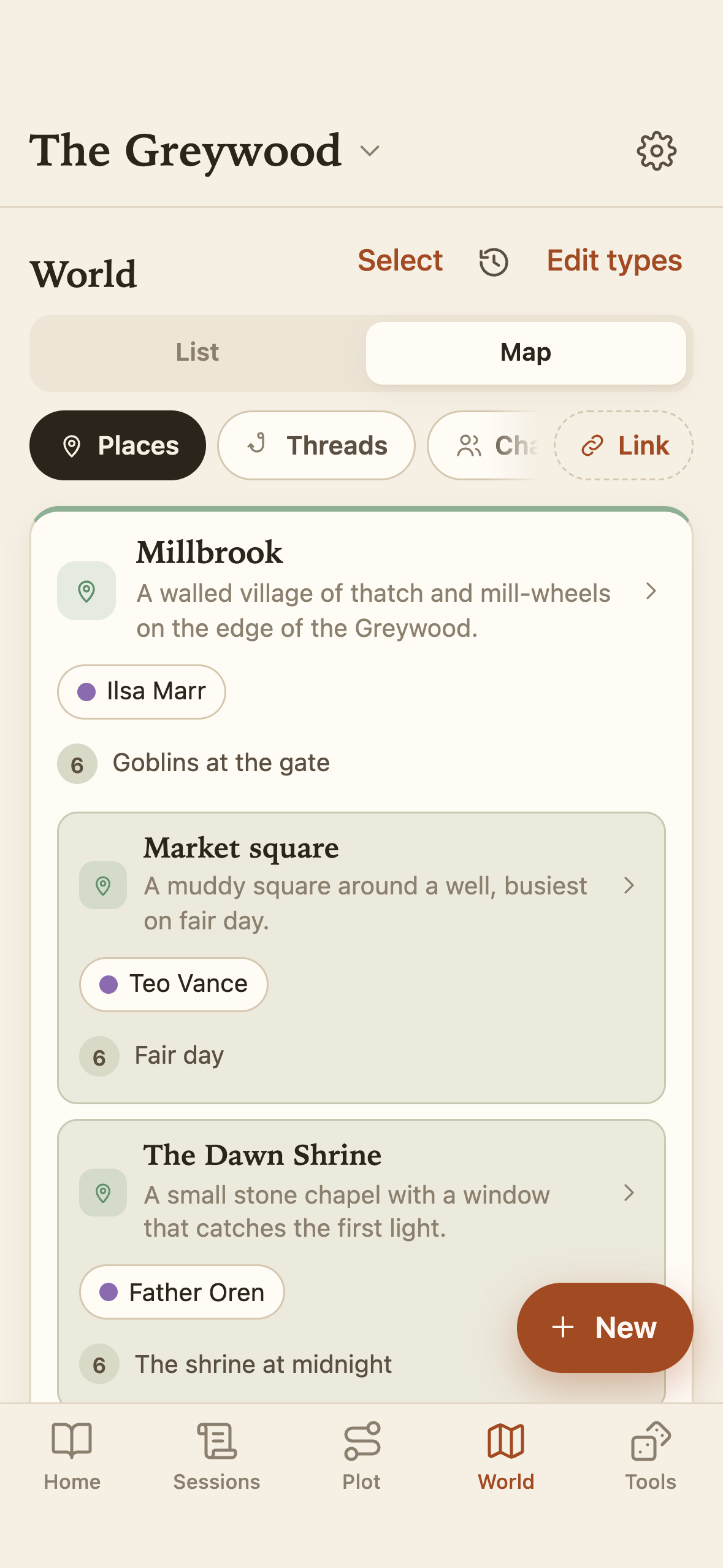
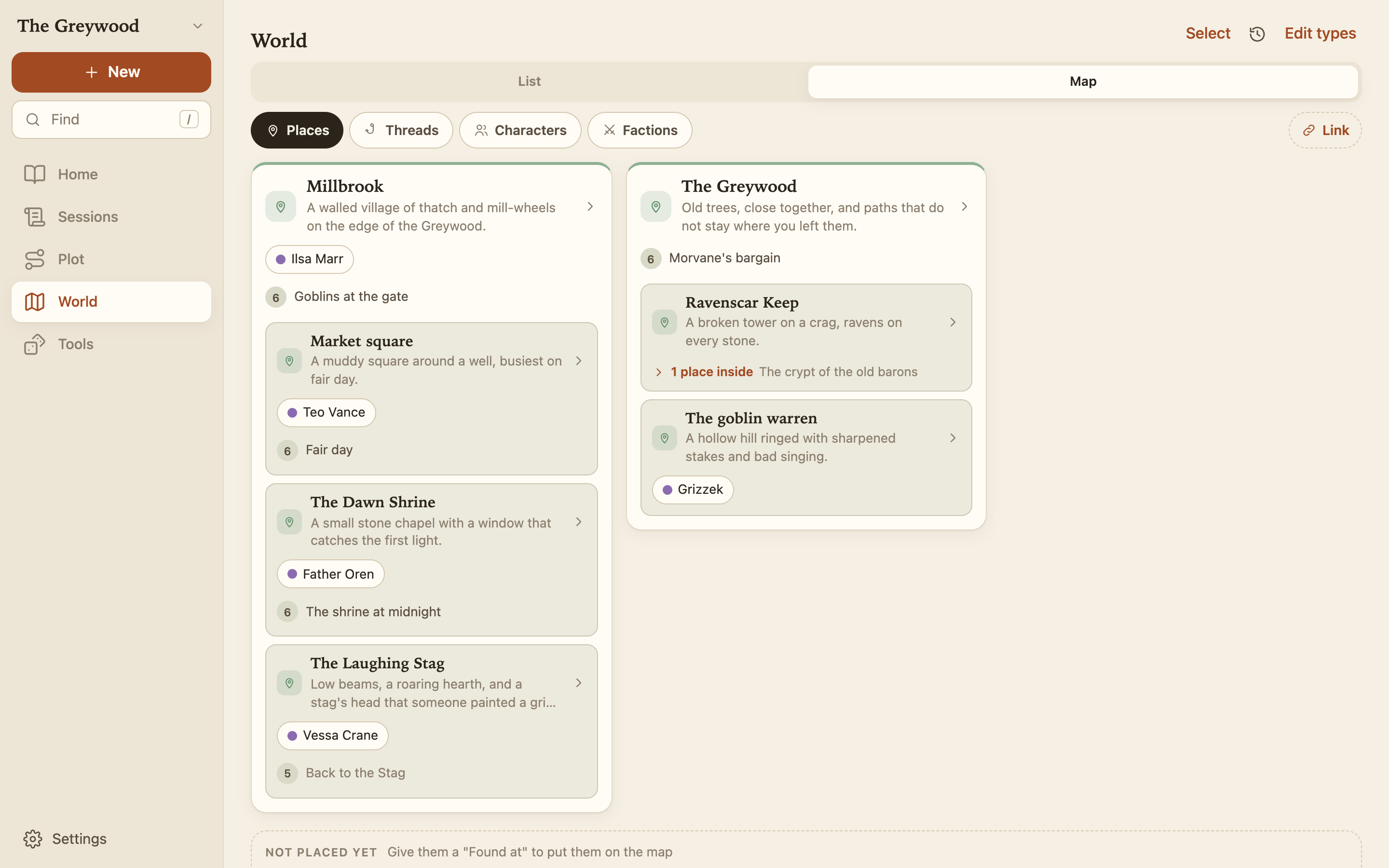
Every place holds the people found there and the scenes set there. Switch the map to threads, characters or factions to see the campaign another way.
Names in your notes become links, so you can go from a scene to the person in it to where they live in a tap. Changes in the story are kept as history, so you can look back at the world as it stood before the betrayal.
Track what you care about
Make your own entry types and fields. Track characters by name, gender and job, and nothing else, if that is all your table needs. No character sheets, no stats.
History, not just edits
A change that happens in the story is kept as history, tied to the session it happened in. Fixing a typo just fixes it. Tabletop Notes knows the difference.
Roll tables
Keep your own tables of names, weather, rumours or anything else, and roll on them when the players ask a question you did not prepare for.
Bring your Notion campaign
Import a Notion export. Databases become entry types, pages become notes, and a sessions database becomes sessions, with its Anticipated Scenes as scene cards.
Yours, on your device
On iPhone and iPad it works offline with no account. Your campaign stays on your device, and you can export a backup file any time.
Any system
Fantasy, horror, science fiction or something you wrote yourself. Tabletop Notes keeps people, places, threads and sessions, and stays out of the rules.
On a bigger screen
Prep at your desk, run it from the iPad
On an iPad or in the web app, the session map, your prep notes and any entry you open sit side by side, so the page you are working on never disappears.
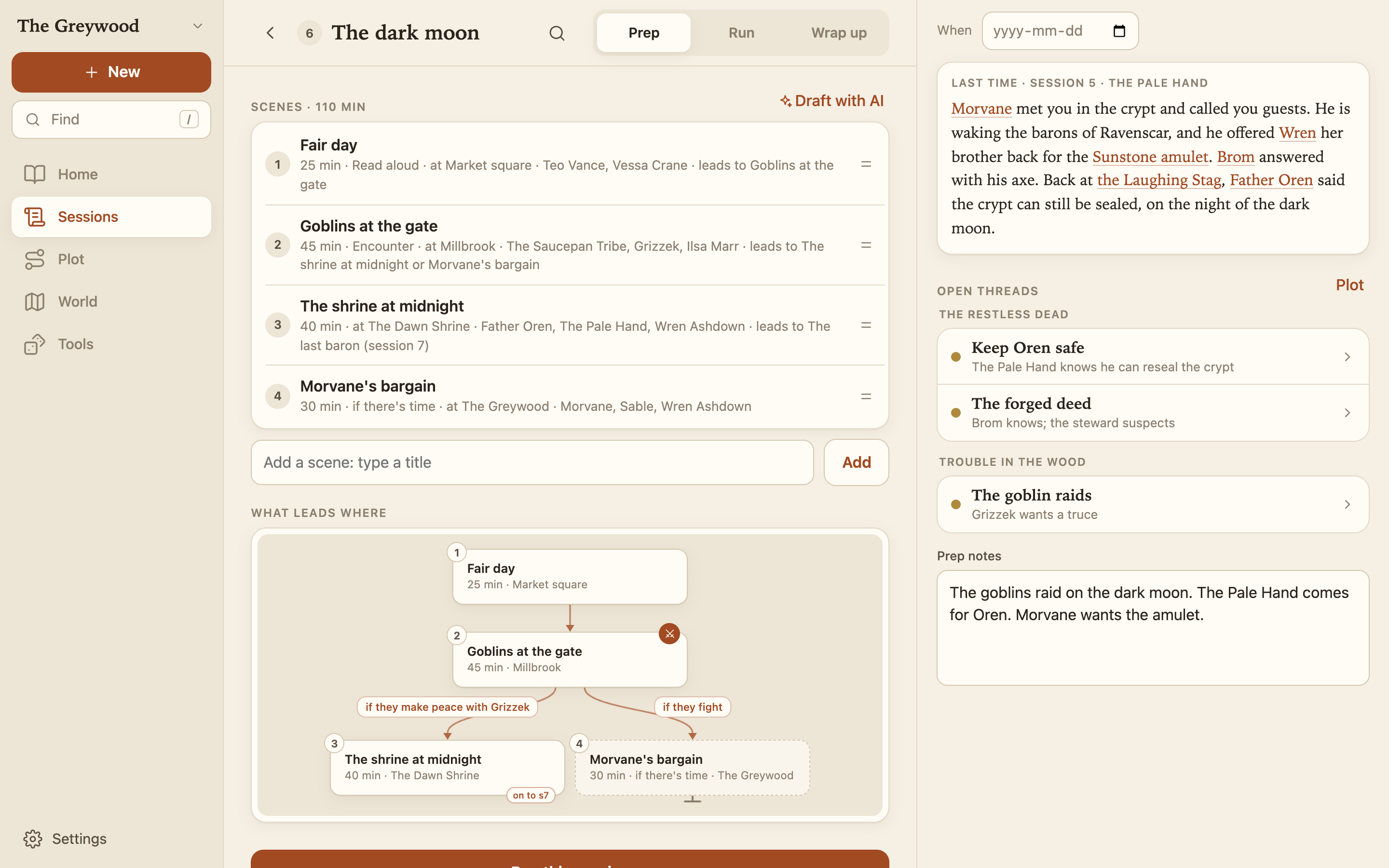
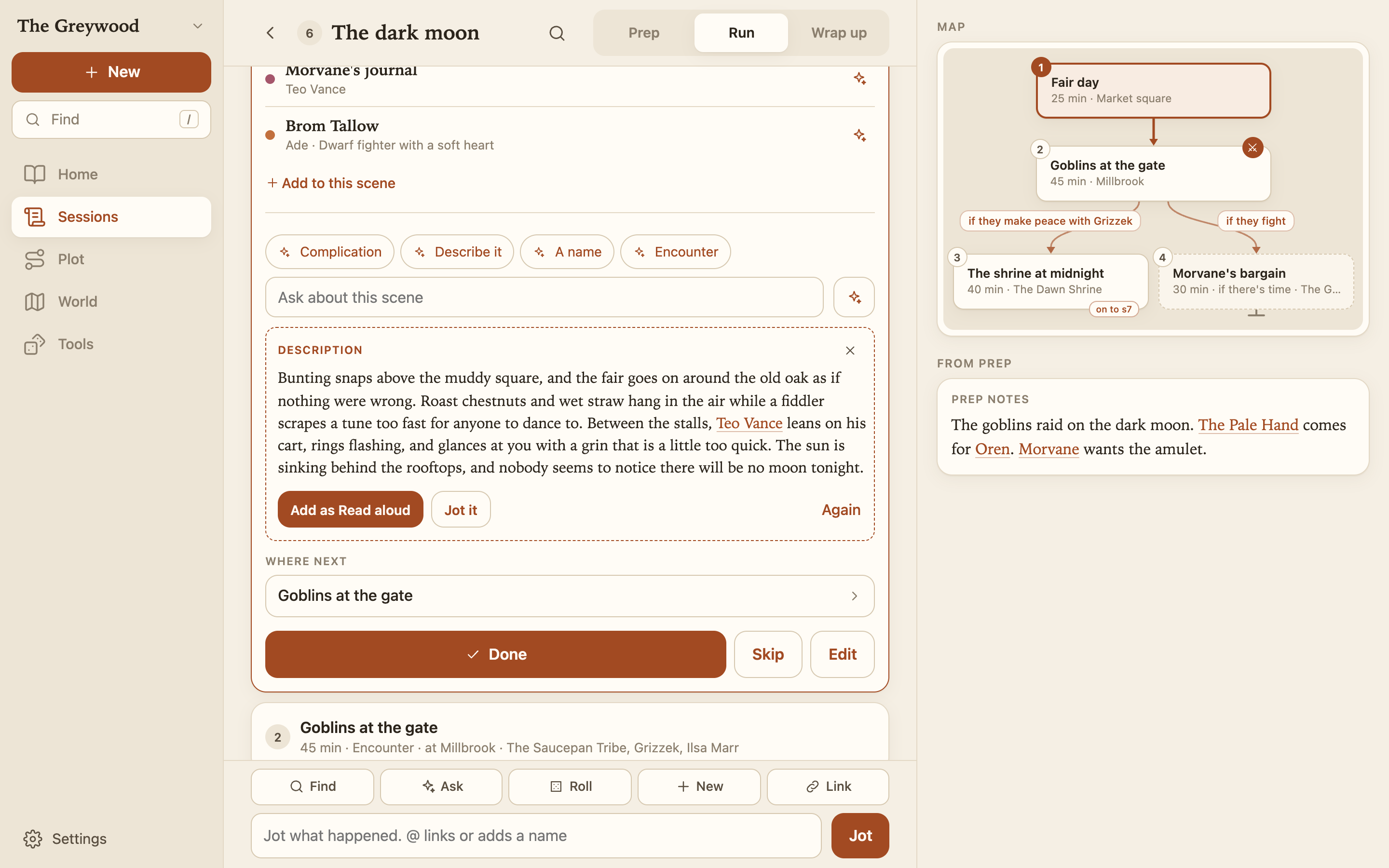
The scene list, what leads where, and last time, side by side
Tabletop Notes Plus
How the AI works with you
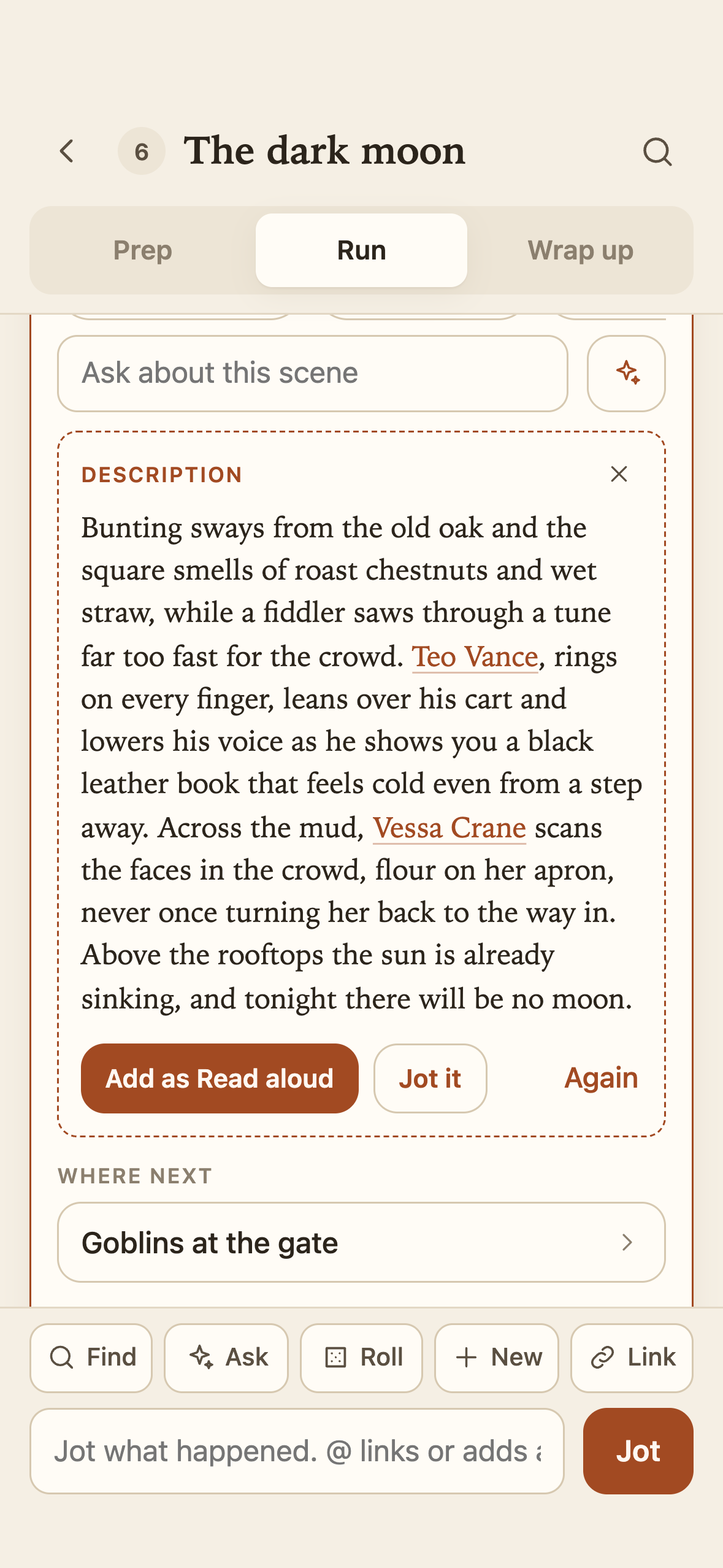
Tabletop Notes Plus adds an assistant that has read your campaign. It suggests; you decide.
- Rolls that know your worldTable results drawn from your own people, places and open threads.
- Ask mid-session"What would Ilsa do?" answered from what you have written about Ilsa.
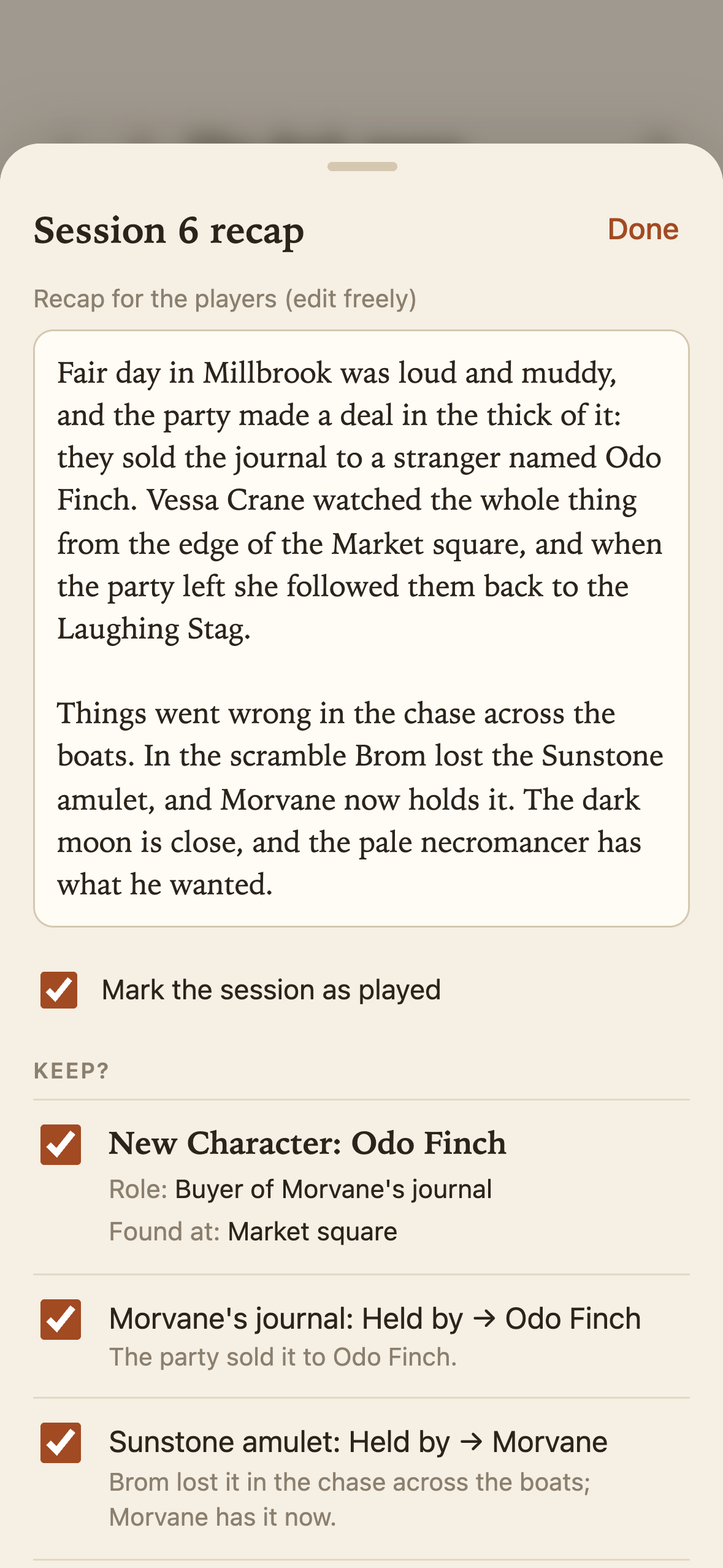
- Recaps and next sessionTurn your notes, typed or dictated, into a player-facing recap with suggested updates, and draft next session's scene cards in your style, guided by your own "How I run" notes.
- Nothing saved until you tick itEvery suggestion waits for you. Keep the ones you like; the rest disappear.
- See what the AI sawOpen "What the AI saw" to read exactly what was sent. The AI works in text only: no generated images or audio.
Pricing
Free to keep your campaign
Everything for keeping a campaign is free. Tabletop Notes Plus adds the AI and sync.
Free
$0
No account needed on iPhone and iPad.
- One campaign, kept on your device
- Your own entry types and fields
- Sessions, scene cards and notes
- World map and story history
- Roll tables with plain random rolls
- Import from Notion
- Works offline; export a backup any time
Tabletop Notes Plus
$4.99 a month
or $39.99 a year. 7-day free trial. Subscribe in the iOS app.
- Everything in Free
- As many campaigns as you run
- 1,000 asks, rolls and Generates a month
- 40 session drafts, recaps and campaign plans a month
- Table rolls that use your people, places and open threads
- Ask about your campaign mid-session
- Recaps and suggested updates from your session notes
- Draft next session's scene cards in your style
- Sync across devices and to the web app
Questions
Frequently asked
Does it work with my game system?
Yes. Tabletop Notes keeps people, places, threads and sessions, not rules, so it works for any system, or none. There are no character sheets or stats to fill in.
Do I need an account?
Not on iPhone or iPad: you can keep a whole campaign there without signing in. The web app needs a free account. An account is also what Tabletop Notes Plus uses for its AI features and for sync.
Does it work offline?
Yes. Campaigns are stored on your device and everything except the AI and sync works without a connection. You can export a backup file at any time.
Can I bring my campaign over from Notion?
Yes. In Notion, export your campaign's top page as Markdown & CSV with subpages included, then choose the zip in Tabletop Notes under Settings > Import from Notion. Databases become entry types, pages become notes, and a sessions database becomes sessions. Step-by-step guide.
What does the AI see?
The parts of your campaign it needs to answer your request, plus the request itself. "What the AI saw" shows you exactly what was sent. Requests go to Anthropic's Claude API only to produce your answer.
Is my campaign used to train AI models?
No. Your campaign is sent to Anthropic's API only to answer your request, and under Anthropic's commercial terms it is not used to train their models. Nothing is sent at all unless you use an AI feature.
Can I use it on the web as well as my iPhone or iPad?
Yes. Open the web app in any modern browser and sign in with a free account. Without Plus, a campaign stays in the browser you made it in; with Tabletop Notes Plus your campaigns sync between your devices and the web app.
How do I cancel Tabletop Notes Plus?
Any time, in your iPhone's Settings > your name > Subscriptions. If you cancel during the 7-day free trial, you are not charged. You keep Plus until the end of the period you have paid for.
Keep the next session in hand
Free on iPhone, iPad and the web.